v2 Preview
Hey, look what's new (and what's coming) in Lunova v2
Big update incoming. Over the last few weeks we've been rebuilding nearly every screen in Lunova — the home carousel, login, EPG, sports, search, watchlist, media detail, settings, and the navigation rail — and along the way we rewrote how the app adapts to weaker hardware like the Fire TV Stick. Some of this is already in the Stable build; the rest is rolling out through Nightly and will hit the stores soon. Here's a tour of what to expect.
🎬 Edge-to-Edge Home Carousel
The home hero is now a full-bleed, cinematic carousel. Backdrop art stretches edge-to-edge, with a logo, metadata, description, and action button layered on top — each sliding in with a staggered cascade as you swipe between titles.
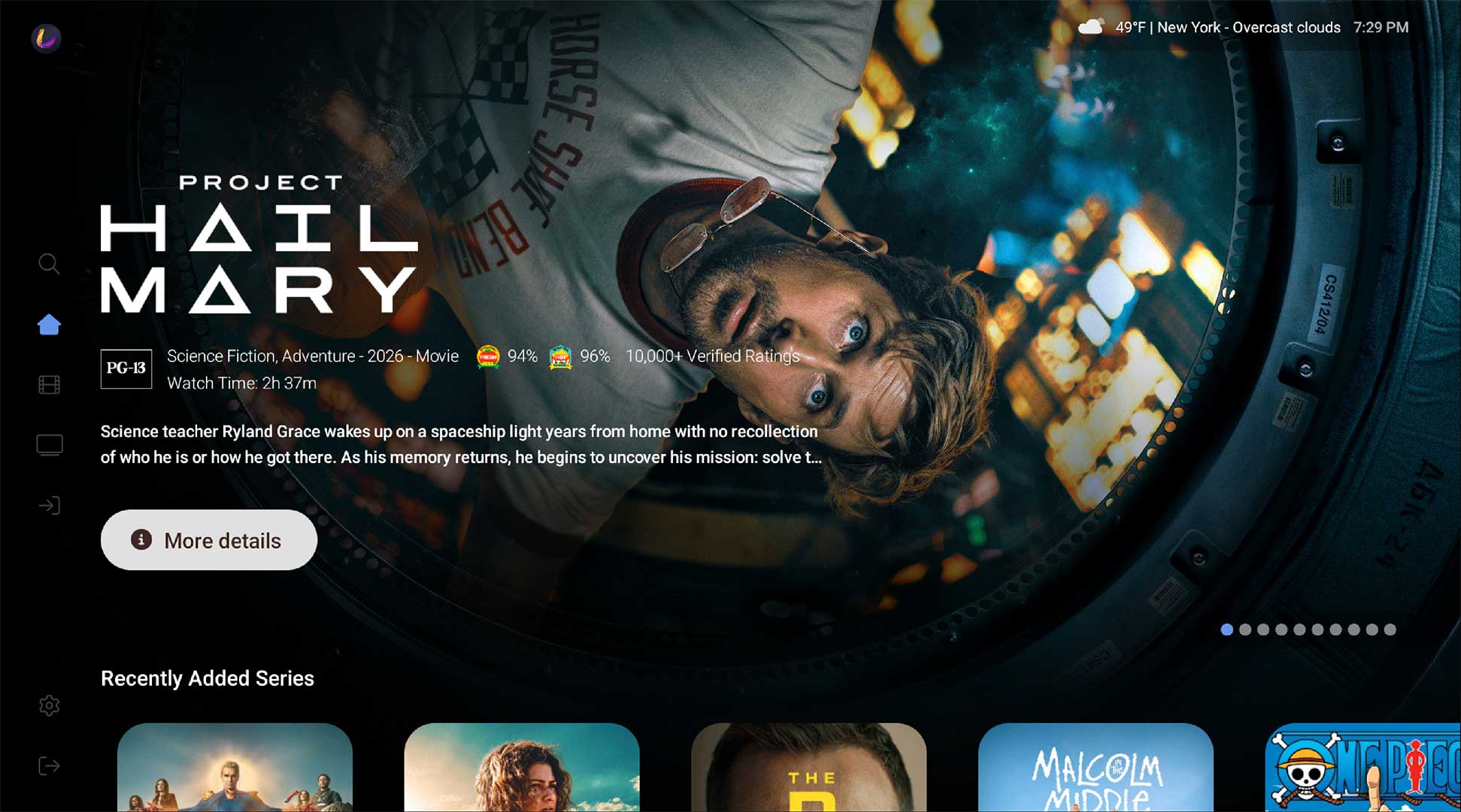
- Lazy-loaded backdrops (only the first few preload) keep launch instant on weaker devices.
- Phased home rendering cut jank from 190 skipped frames on cold launch to 39.
- Full-count dot indicators, consistent logo alignment, and no stale animation state.
📱 Redesigned Login with Smartphone QR Pairing
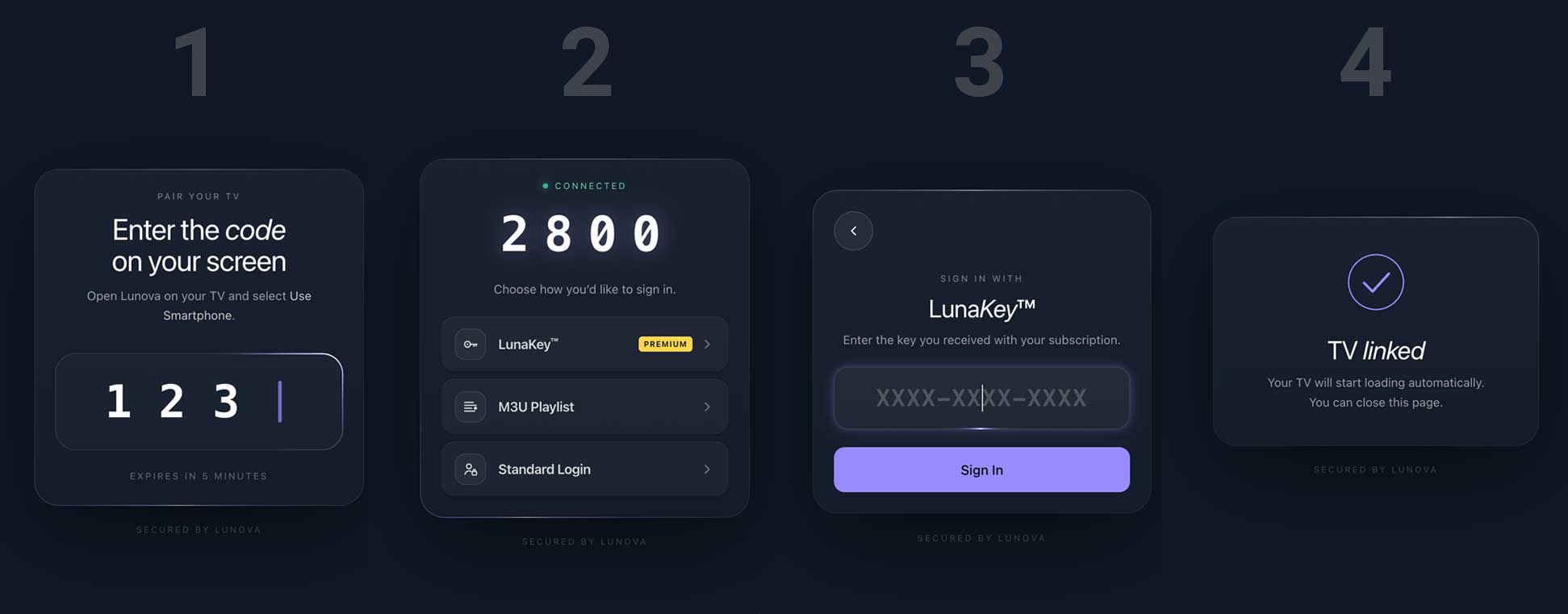
Login is now a single master-selector hub. Instead of one form, you pick how you want to sign in — and the primary path is pairing from your phone.
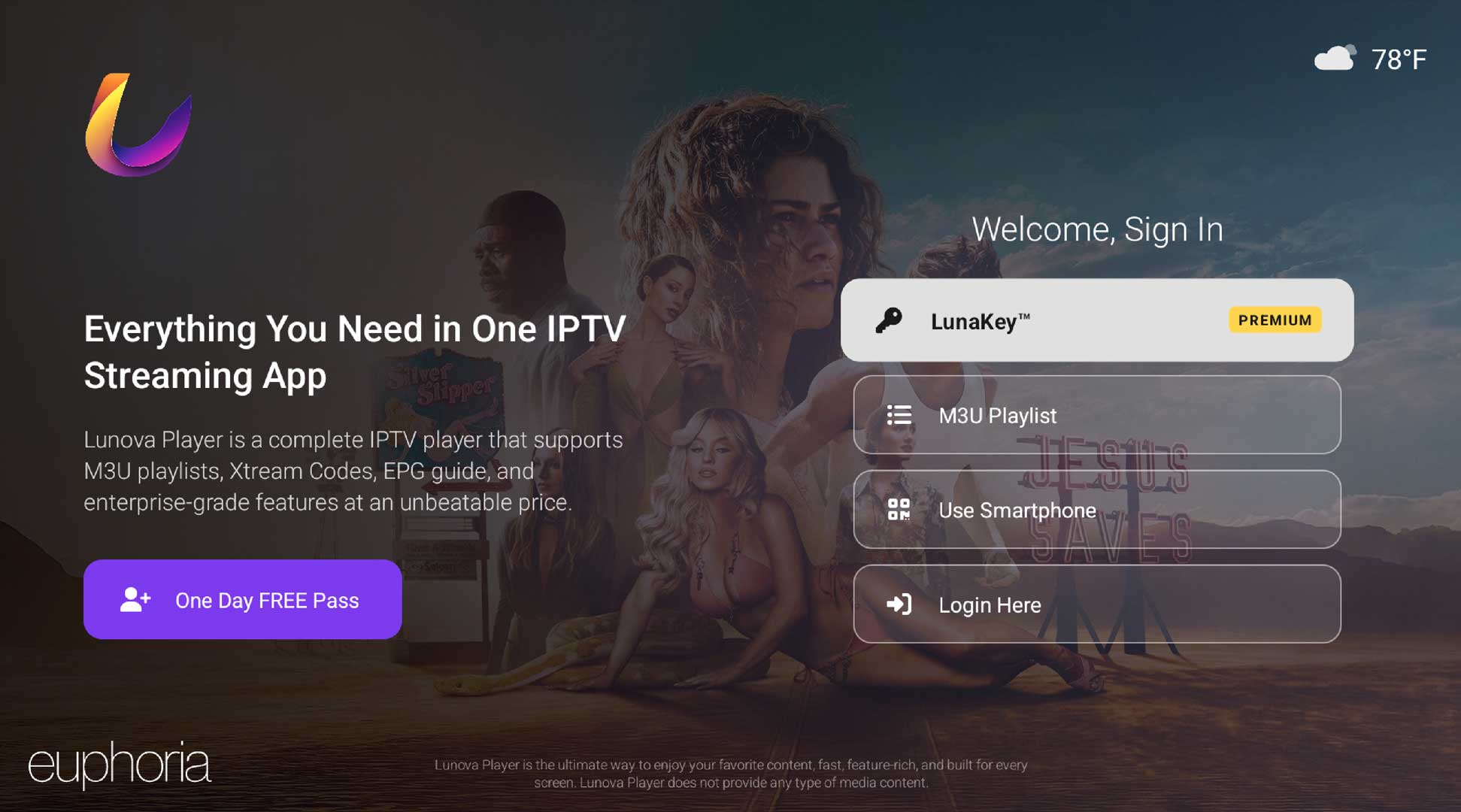
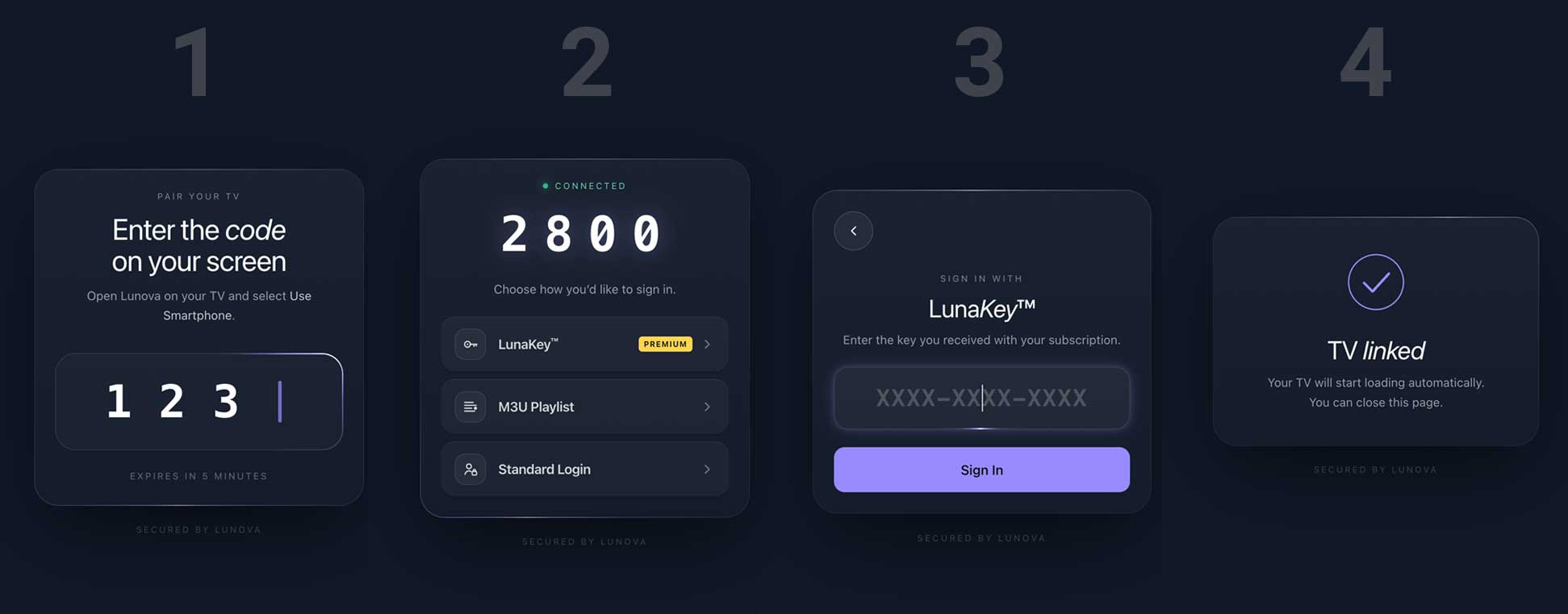
- Smartphone QR pair: scan the on-screen code at lunova.app/link and your TV logs itself in. No typing IPTV credentials with a D-pad ever again.
- LunaKey and M3U URL options for power users, with a gold "PRO" badge on LunaKey.
- Login Here for manual credentials, plus a prominent violet Sign Up button.
- Every button follows the new Android TV spec — filled + outlined pills with a crisp 1.05× focus scale and bold-on-focus typeface swap.
📺 EPG, Rebuilt to Samsung Parity
The Electronic Programming Guide now matches the look and feel of the Samsung Smart TV app, which has long been our design reference.
- Unified row format with a live NOW marker line and per-cell progress bar.
- Refined time bar, category sidebar, and typography.
- New shimmer that mirrors the real layout — no more jarring placeholder-to-content swap.
- Multi-playlist mode uses a dedicated accordion, so switching between providers is clean.
🏈 Sports Home, Reimagined
Sports went from "a tab" to a full destination. Every surface was rebuilt against the web player for visual parity.
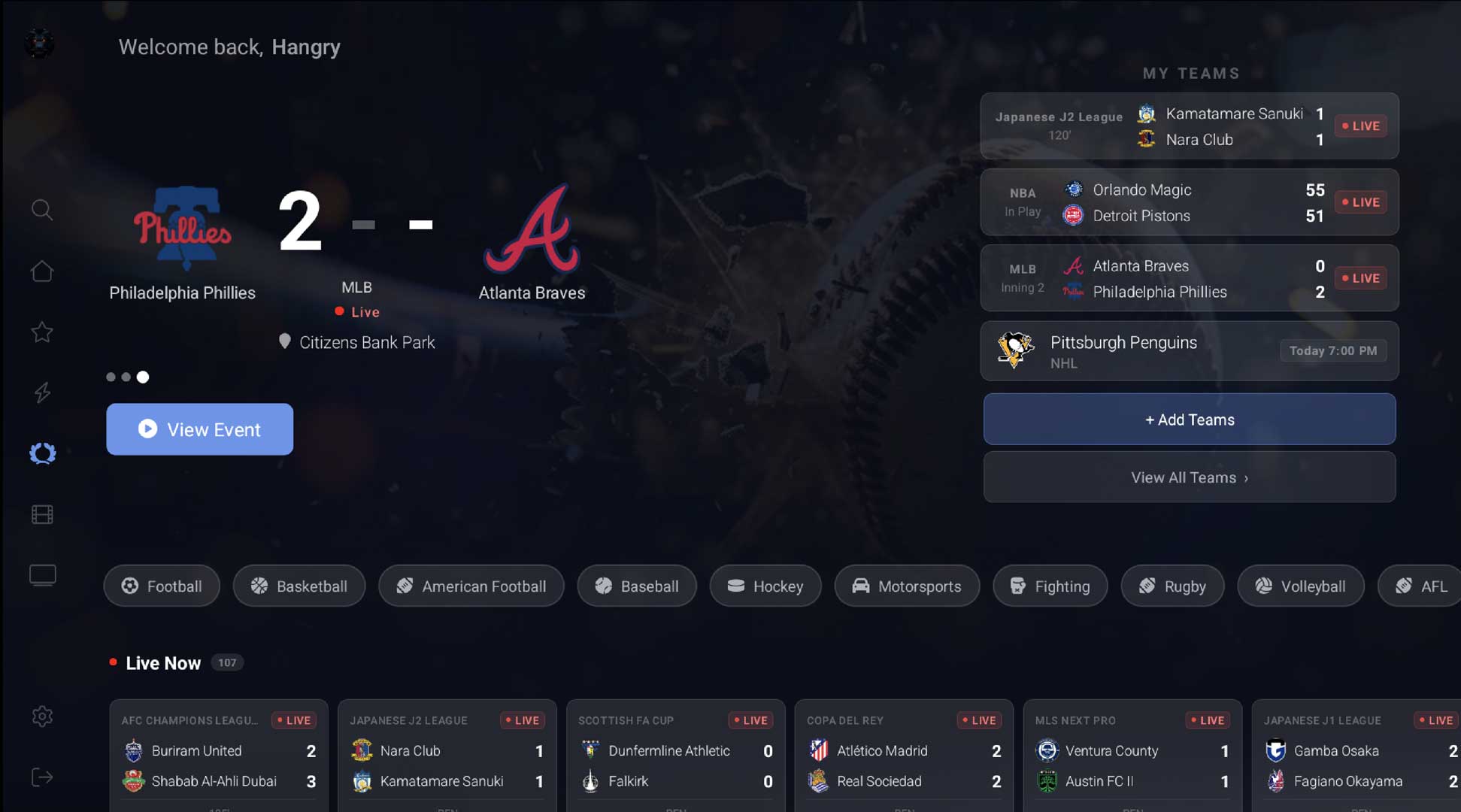
- Hero carousel with league logos, live status, venue lookup, score glow, and a matchup context menu for adding either team as a favorite.
- My Teams panel with live/upcoming/idle states, a poof animation on remove, and a long-press context menu.
- Pick Your Teams dialog overhauled with sticky opaque search, Top Games, programmatic Suggested / Results grids, and a clear-X.
- New Highlights, Hall of Fame, and My Players sections with Live Now chrome and shared typography.
- Shared 30% focus anchor across every sports scroll page — the focused row always lands in a predictable spot.
🔍 Search, Reworked
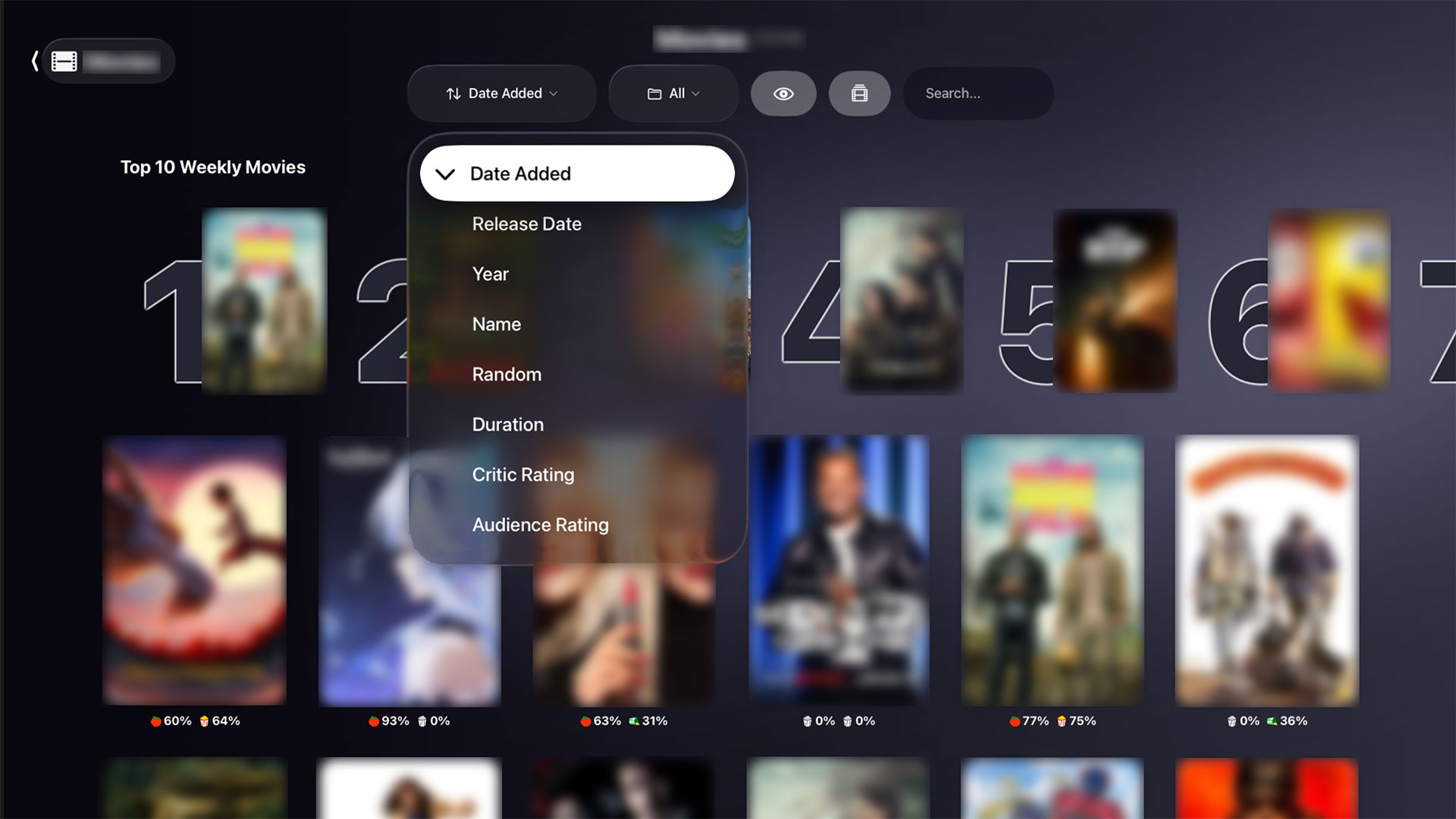
The search page now follows the same browse toolbar pattern as Movies and Series, with a two-state layout and a dynamic grid.
- Wide search pill on empty state; compact query pill plus filter tabs once you have results.
- Responsive grid — 4 columns on TV, 3 on tablet, 2 on phone.
- Cast search, 16:9 history cards, and no more auto-search firing on every keystroke.
🎨 New Focus System + Design Polish
A single, app-wide focus border treatment ties every screen together.
- 2dp cornflower-blue outset border with a 5dp gap, no layout shift on focus.
- Glass-card chrome on live TV, watchlist TV, settings, and sports strips.
- Uniform 200ms focus animation and a consistent 1.05× scale across cards.
- Roboto across the entire app — Open Sans and legacy font files are gone.
⚡ Smarter on Weaker Devices
Every device gets the same features, but Lunova now knows how hard to push. A new DeviceCapabilities tier system classifies each device as WEAK, MEDIUM, or STRONG and tunes the app accordingly.
- Per-tier Glide memory caps and backdrop resolution.
- Pulse animation instead of shimmer on WEAK devices.
- Staggered below-fold row loading and trailer autoplay gated on weaker hardware.
- BlurDialog OOM crash on Fire Stick fixed; home-launch jank reduced ~55%.
🎬 Media Detail Upgrades
Movies and Series detail pages now feel instant and read cleanly on every form factor.
- Hover prefetch: focus a card, and its detail page loads in the background — opening is effectively instant.
- Two-pane episodes with sticky seasons, natural D-pad scrolling, and an anti-ANR refactor for shows with huge episode counts.
- Long-press anywhere on an episode or movie opens a context menu with a Play vs. Resume choice overlay.
- Samsung-parity tab layout, Season X Episodes label, fixed-height episode RV.
🗂️ New App Updates Page
We built an in-app changelog browser — so you can actually see what changed between versions without leaving the app.
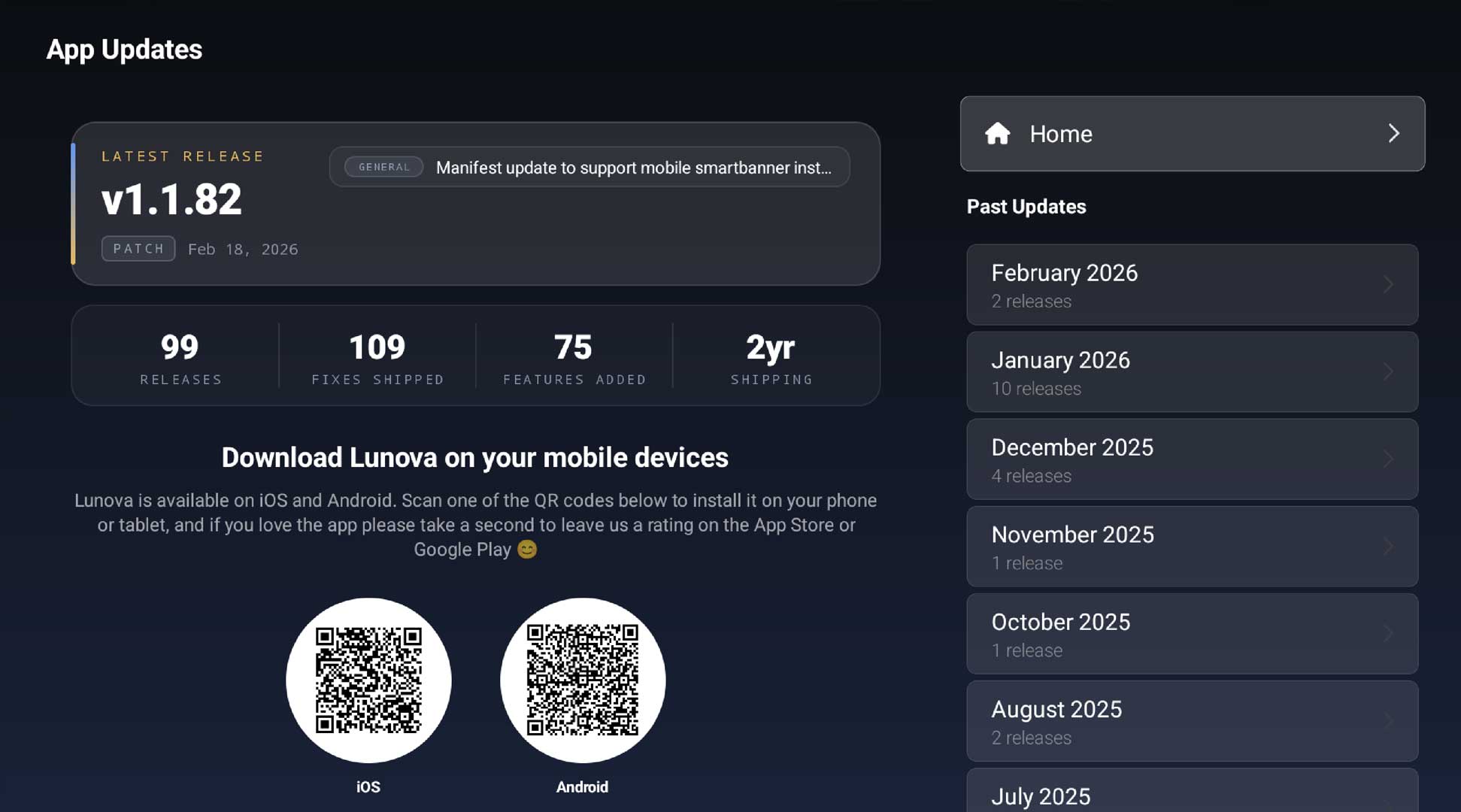
- Two-panel layout with a hero version card on the left and a month list on the right.
- Each change is tagged with a typed chip — Feature, Fix, UI, Perf, Security, General — plus a Major / Minor / Patch pill per version.
- Stats strip summarizes what shipped this release at a glance.
- Hybrid load: local cache first, bundled fallback, then live update from lunova.app.
- Circular QR discs link you to the mobile apps so you can keep your phone in sync.
🛡️ App Update Gatewall
When a release contains something we really need everyone on — a security fix, a breaking API change — Lunova will now show a dedicated "time to update" wall instead of silently breaking.
- Two-panel design with a value-prop hero mock and a clickable changelog preview.
- Direct links to the Amazon Appstore, Google Play, or a QR fallback to the web download.
- Fails open — if the gate check fails for any reason, the app lets you in.
🧭 Refined Navigation Rail
The side rail is quieter at rest and louder on focus. Four-state alpha treatment: muted when collapsed, brighter when expanded, fully lit on focus, and consistently highlighted on the current page.
- Light → medium label weight on focus, white → cornflower icon color.
- Exit goes red only on focus, not at rest.
- Instant nav — no collapse-then-expand transition jank.
🔧 Stability & Reliability
A lot of v2's work is invisible but load-bearing.
- Live TV codec error classifier with software-decoder fallback, capped retries, and Loki telemetry.
- Profile-switch recycled-bitmap crash fixed.
- Fire TV 4K 1st-gen OOM on sports fixed.
- Stale-after-login cache bug fixed — switching accounts now shows the right data immediately.
- 401 race on token expiry resolved.
💬 Tell Us What You Think
v2 touched basically every screen, which means there's a lot of surface area for something to feel off. If you spot a bug or have an idea:
- 🪳 Submit a ticket: https://lunova.app/tickets
- 📬 Use our contact form: https://lunova.app/#contact-us
Please include your device model, Android version, and a short description. Screenshots or logs help enormously.